
Based on neuroscience for ADHD brains

Flowo connects Google and Outlook, automatically organizes your tasks, meetings, notes, and projects, and keeps your schedule up to date at all times thanks to AI.

Try Flowo

✓ No credit card✓ 7-day free trial✓ Cancel anytime

Everything you need to do,finally in one clear plan.

You're managing clients, projects, meetings, ideas, deadlines, and last-minute changes.
Flowo helps you keep moving without manually rebuilding your calendar every day.

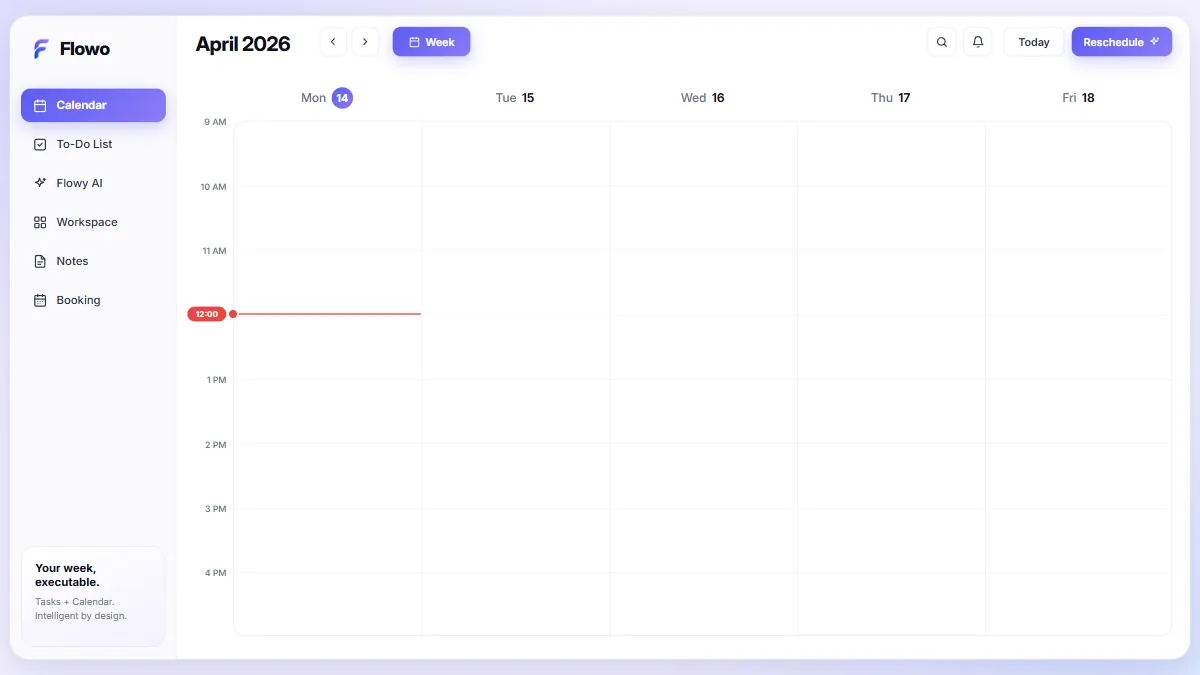
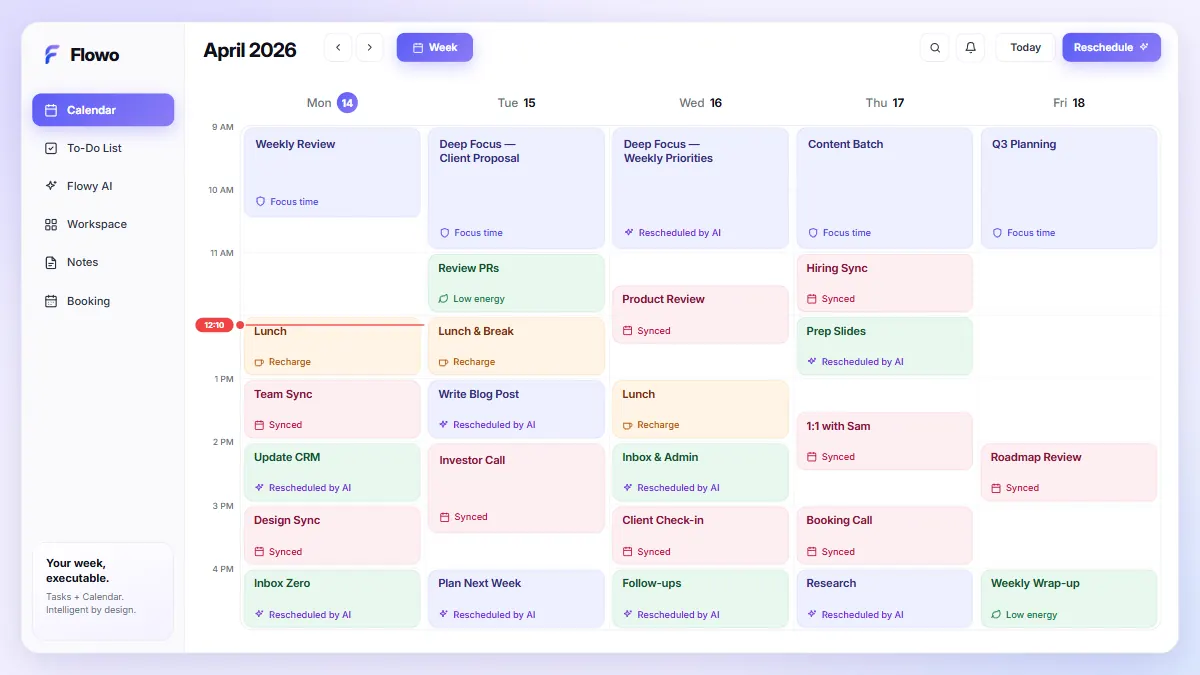
A last-minute meeting eats a task slot? Click Reschedule. The AI repositions every pending task around it automatically — no manual juggling.

Three steps. Then your weekruns itself.

No complicated setup. No Sunday rebuild. Give Flowo the context once, then start with a week that already makes sense.

Step 01

Connect your calendars

Bring Google Calendars and Outlook together. Flowo sees your real availability without changing how you already work.

Step 02

Add what needs to happen

Capture tasks, deadlines, projects and ideas in seconds—without organizing everything first.

+ Launch newsletter
  • Pick a name Mon
  • Choose a platform
  • Design template
  • Write welcome email
  • Set up signup form

Step 03

Let Flowo plan the work

Your priorities find realistic time around meetings, personal commitments and the hours when you work best.

Less switching.More actually doing.

Meetings in Outlook. Personal events in Google. Tasks in your head. Notes everywhere. Flowo turns them into one realistic week.

AI Smart Scheduling

Describe your week in plain language. Flowo reads energy patterns, deadlines, and preferences — then builds an optimal schedule automatically.

“Schedule 3 deep-work blocks this week — avoid Monday mornings.”

✓ Done — Tue 9am, Wed 10am, Fri 9am

Replan

Plans changed? Replan. A meeting appears. A task takes longer. Something urgent lands on your desk. Flowo rebuilds automatically all your week—moving unfinished work while protecting deadlines, pinned tasks and existing commitments.

Client call moved to Thursday
Done! Week rebuilt — deadlines and pinned tasks kept.

Brain Dump

Get it out of your head. Drop in tasks, ideas and obligations as quickly as they appear. Flowo organizes them by project, duration and priority.

Call SarahLaunch ideaTax formGym

Calendars & Time Slots

Connect multiple Google and Outlook calendars to see your real availability in one place and create dedicated time slots for client work, deep focus, admin, personal tasks or side projects. Flowo only schedules each task where it actually belongs.

GFO

Booking Links

Booking links, without another subscription. Share a personalized booking page and let guests choose a time that works across your real availability. Flowo checks your calendar and automatically creates Google Meet or Microsoft Teams links.

getflowo.com/book/alex
Google MeetMicrosoft Teams

AI Project Planner

Turn a goal into scheduled work. Tell Flowo what you want to achieve. It creates the tasks, estimates the time required and places each step into a realistic schedule.

☑ Break goal into tasks
☑ Estimate time needed
☐ Place steps on the week

Daily Brief

Your morning brief shows what matters today, how much time you have and the best place to begin. No rebuilding. No guilt. Nothing forgotten.

Today focus70%
Free time2h
Start here1st

Work & Notes

Keep your notes organized. Write notes, store files and capture decisions inside the project they belong to. Link notes to tasks and events and let Flowo AI help organize or summarize what matters.

Launch kickoff notes

Decided on soft launch Friday. Need assets from design by Wednesday.

Also included

One calm workspace for everything around your week.

Energy-aware planningBlocked timeCustom scheduling windowsSmart remindersFocus modeQuick searchShared projectsTask assignmentsCloud syncDesktop and mobile PWA

Neuroscience, engineeredinto your calendar.

Built around how an ADHD brain actually works —
energy, dopamine, and cognitive load managed by design, not willpower.

Endless to-do list

You only see what matters today. Tomorrow waits its turn — less freeze, less shame.

Mandatory setup

Start with a week already filled. Adjust later — or never. Dopamine-friendly wins from day one.

Discipline required

Miss a task? Flowo reorganizes around it. No drama, no burnout spiral — built with neuroscience advisors.

Punishing silence

Gentle visual nudges where you already look. Zero notification spam — momentum without overload.

Scheduling logic informed by research on energy management, cognitive load, and ADHD-friendly workflows. Not medical advice.

Why trust Flowo early?

A calmer week from day one.

Built with hundreds of early Flowo members who wanted less planning overhead and a clearer place to start.

★★★★★

“I used to spend Monday morning rebuilding my week. Now I open Flowo, see three clear blocks, and start.”

Léa M.
Independent Illustrator
★★★★★

“When a client call moves, the rest of my day no longer collapses. That alone makes Flowo worth it.”

Camille D.
Agency co-founder
★★★★★

“The best part is not having to decide what to do next. My difficult work is already in the right place.”

Noah P.
Backend engineer

How does Flowo AI help?

Tell Flowo what you want to achieve.

Start with a rough goal. Flowo turns it into estimated tasks and schedules the work around your real week.

Try the AI planner

Works with your existing tools

Connect once — your events, meetings, and links appear automatically.

How much is Flowo?

Start with a free trial.
Scale when you're ready.

7-day free trial on Start & Max (full Max features). No credit card required.

Get started
START
$6.99 $5.83 /mo
Billed $69.90/year · cancel anytime
  • AI-powered daily scheduling
  • ADHD focus mode + streaks
  • Manage up to 5 projects
  • 2 calendars linked Google/Outlook
  • 5,000 AI credits /month
  • 3 smart booking links · 10 bookings / link
  • Full Notes Management
For teams
TEAM
$5.99 $4.99 /mo
Per seat · {amount}/year
  • Everything in Max
  • 10,000 AI credits / seat / month
  • Team roles & permissions
  • Task assignment
  • Shared project management
  • Seat-based billing (2–100+)
Subscribe to Team

Per seat · billed per your toggle above · no trial on Team

Try all Max features free for 7 days. Pick Start or Max when the trial ends.

Common questions

Do I keep control?
Yes. Flowo proposes an executable week of tasks around your real calendar—you stay in charge. Drag tasks to pin times, edit priorities, add blocked time, and undo or reschedule anytime. It is a smart calendar assistant, not a black box.
Does it work with Google Calendar and Microsoft Outlook?
Yes. Connect Google Calendar and Microsoft Outlook so meetings and personal events flow into Flowo. Your task scheduler then places work around those constraints—ideal as a productivity calendar app for real life, not a disconnected to-do list.
Is Flowo for overwhelmed schedules, multiple projects, or ADHD-friendly planning?
Yes. Built for overloaded calendars and multi-project portfolios: fewer micro-decisions, clearer priorities, visible progress, and a dopamine-friendly rhythm. Many people use it as an ADHD planner app and daily planner for entrepreneurs—custom timeslots keep contexts (work, clients, side projects) from bleeding into each other.
Can I reorganize my entire week in one click?
Yes. Tap Reschedule to rebuild your week in seconds when priorities shift. Deadlines, meetings, and pinned tasks stay respected; everything else refits automatically—that is the heart of an auto scheduling app and AI calendar app.
Is there a free tier or free plan?
There's no permanent free plan. You get a 7-day free trial with full Max features, no credit card. Cancel anytime before day 7 and you pay nothing.
Is there a mobile app?
Works as an installable web app (PWA) today — add Flowo to your home screen on iPhone or Android. Native iOS/Android apps are on the roadmap. See getflowo.com/mobile/.
Where can I learn how to set up Flowo?
Use the product guide at /guide for onboarding, calendar connect, tasks, and weekly planning in plain steps.
What happens if I cancel during the trial?
Cancel before day 7 and you won't be charged anything. Cancel anytime after — in one click from your account settings. Your data stays accessible for 30 days after cancellation.
How does the AI scheduling actually work?
Flowo sorts your tasks by deadline urgency and importance, then fits them into your available hours — avoiding meetings, blocked slots, and other tasks. It looks up to 90 days ahead to keep your focus time planner and week coherent.
Is my data private and secure?
Yes. All your task and calendar data is encrypted and stored securely in our cloud. Calendar connections use secure flows; your data is never sold to third parties.
Can I use Flowo on multiple devices?
Yes. Your data is synced to your Flowo account in the cloud and accessible from any device — just log in and everything is there, instantly.
How are notes organized?
Open Notes, then tap a project card. Folders and notes live inside that project — one project equals its folders. There is no mixed “all projects” notes home.
How does pricing work?
Start is $6.99/month or $69.90/year (5,000 AI credits). Max is $9.99/month or $99.90/year (15,000 credits, weather, Kanban, recurrence). Team is $5.99/seat/month HT or $59.90/seat/year — no self-serve trial. Start and Max include a 7-day free trial with full Max features, no credit card. Optional extra credit packs (10k / 20k / 50k) expire after 3 months.

Is Flowo built for you?

See what it feels like
when your week plans itself.

Start your 7-day free trial today. No credit card. No overwhelm. Just clarity — finally.

7-day free trial · cancel anytime · open beta — built with the ADHD community